
Top 11 AI Tools List for Students to Study Smarter

Introduction to AI Tools for Students
Let’s be honest—student life can feel like juggling flaming torches while riding a unicycle. Assignments, exams, presentations, deadlines… it never ends. This is where AI tools for students step in like a reliable study buddy who never sleeps.
Artificial Intelligence is no longer a futuristic buzzword. It’s already sitting quietly inside the apps students use every single day. From writing essays to summarizing lectures and designing presentations, AI is transforming how students learn, study, and succeed.
Why AI Is a Game-Changer in Education
AI doesn’t just save time—it changes how students think and work. Imagine having a tutor, editor, researcher, and designer all rolled into one. That’s AI in education. It adapts to your pace, fills learning gaps, and helps you understand complex topics in simpler ways.
How Students Benefit from AI-Powered Tools
- Faster research and learning
- Improved writing and grammar
- Better time management
- Enhanced creativity
- Reduced academic stress
In short, AI tools don’t replace learning—they enhance it.
How We Selected These AI Tools
Not every AI tool deserves a spot on a student’s laptop. Some are flashy but useless, while others quietly deliver real value.
Criteria for Choosing the Best AI Tools
Ease of Use
Students don’t want complicated dashboards. Simple, clean, and intuitive tools win every time.
Affordability for Students
Free plans or student-friendly pricing are a must. Education shouldn’t break the bank.
Academic Value
Each tool must directly help with studying, writing, research, or productivity.
11 Best AI Tools for Students
Now, let’s get to the good stuff. Here’s the ultimate list of 11 AI tools students should know about.
1. ChatGPT – AI Study Companion
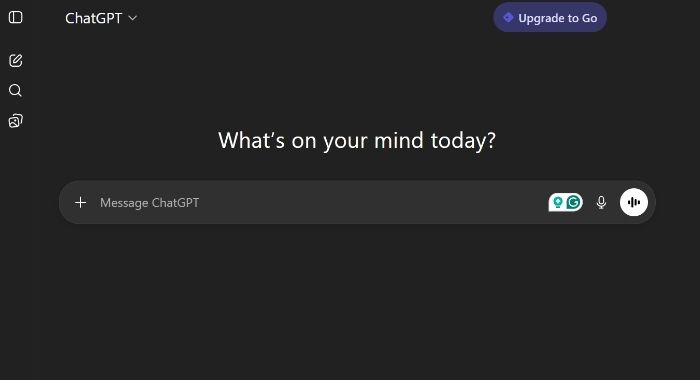
ChatGPT is one of the most versatile AI tools students can use today. It works like a smart virtual tutor that can explain concepts, answer questions, generate ideas, and even help debug code. Whether you’re stuck on a math problem or trying to understand a complex history topic, ChatGPT breaks things down into simple, easy-to-understand explanations.
Students also use ChatGPT to:
- Create essay outlines
- Summarize long chapters
- Generate quiz questions for self-study
- Practice interviews and presentations
The real power of ChatGPT lies in conversation. You can ask follow-up questions until the topic finally clicks—something textbooks can’t do.
2. Grammarly – AI Writing Assistant
Grammarly goes far beyond basic spell check. It analyzes your writing for grammar, clarity, tone, engagement, and even plagiarism (in premium versions). For students, this means cleaner, more professional assignments without hours of proofreading.
What makes Grammarly especially useful is its real-time feedback. As you type, it suggests improvements and explains why something should be changed. Over time, students naturally become better writers.
Best use cases include:
- Essays and research papers
- Emails to professors
- Scholarship applications
- Reports and dissertations
Think of Grammarly as a writing coach that never gets tired.
3. Notion AI – Smart Notes & Organization
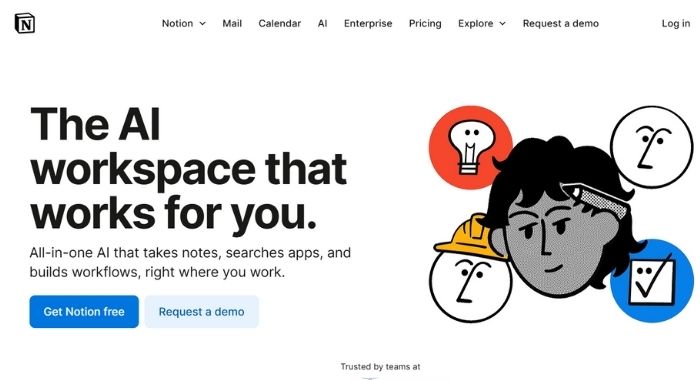
Notion AI is perfect for students who struggle with messy notes and poor time management. It turns Notion into a smart workspace where you can store notes, create to-do lists, plan projects, and even generate summaries automatically.
With Notion AI, students can:
- Summarize lecture notes instantly
- Convert bullet points into full explanations
- Create study schedules
- Manage group projects
It’s especially helpful for long-term academic planning, making it ideal for university students juggling multiple subjects.
4. QuillBot – AI Paraphrasing Tool
QuillBot is designed to help students rewrite content clearly while keeping the original meaning intact. This is extremely helpful when your ideas are good but your wording feels repetitive or awkward.
QuillBot offers:
- Multiple paraphrasing modes (simple, formal, creative)
- Grammar checking
- Summarization tools
- Citation assistance
It’s widely used by students working on essays, reports, and academic writing where originality and clarity matter.
5. Perplexity AI – Research Assistant
Perplexity AI works like a smart search engine combined with AI reasoning. Instead of showing endless links, it gives direct answers backed by sources, making research faster and more reliable.
Students love Perplexity AI for:
- Quick academic research
- Fact-based questions
- Source-backed explanations
- Topic exploration
It’s especially useful for writing assignments, presentations, and research papers where accuracy matters.
6. Canva AI – Design Made Easy
Canva AI helps students create professional-looking designs without any design experience. From class presentations to posters and infographics, Canva uses AI to suggest layouts, colors, images, and fonts automatically.
With Canva AI, students can:
- Generate presentation slides
- Create resumes and CVs
- Design posters and assignments
- Produce social media visuals for projects
It saves time and boosts creativity, making projects look polished and impressive.
7. Otter.ai – AI Note-Taking Tool
Otter.ai is a lifesaver for students who attend long lectures or online classes. It records audio and converts speech into text automatically, creating searchable lecture notes.
Key benefits include:
- Live transcription
- Speaker identification
- Highlighting important points
- Easy sharing with classmates
Students who miss lectures or struggle with fast-paced explanations find Otter.ai extremely valuable.
8. Tome AI – AI Presentation Generator
Tome AI helps students turn rough ideas into structured presentations within minutes. You simply enter a topic, and Tome generates slides with clear text and visuals.
It’s ideal for:
- Class presentations
- Project proposals
- Storytelling assignments
- Group presentations
For students who hate making slides, Tome AI feels like magic.
9. Scite AI – Smart Citation Tool
Scite AI is a powerful research assistant that helps students understand how research papers are cited, not just where they’re cited. It shows whether a study supports, contradicts, or merely mentions another study.
This tool is perfect for:
- Literature reviews
- Academic research papers
- Thesis and dissertations
It helps students build stronger, more credible arguments.
10. Wolfram Alpha – Computational Intelligence
Wolfram Alpha is an advanced problem-solving engine used mainly for math, science, and engineering subjects. Instead of just giving answers, it shows step-by-step solutions, which helps students learn the process.
It’s commonly used for:
- Algebra and calculus
- Physics equations
- Chemistry calculations
- Data analysis
For STEM students, Wolfram Alpha is almost essential.
11. Speechify – AI Text-to-Speech Tool
Speechify converts written text into natural-sounding audio, allowing students to listen instead of read. This is perfect for multitasking, commuting, or students with learning difficulties.
Speechify helps with:
- Reading long study materials
- Listening to PDFs and articles
- Improving focus and retention
It turns textbooks into podcasts—simple, effective, and surprisingly powerful.
Comparison Table of AI Tools for Students
| AI Tool | Primary Use | Free Plan | Best For |
|---|---|---|---|
| ChatGPT | Learning & writing | Yes | Homework help |
| Grammarly | Writing | Yes | Grammar & tone |
| Notion AI | Organization | Limited | Notes & planning |
| QuillBot | Paraphrasing | Yes | Rewriting text |
| Perplexity AI | Research | Yes | Quick research |
| Canva AI | Design | Yes | Presentations |
| Otter.ai | Transcription | Yes | Lecture notes |
| Tome AI | Presentations | Limited | Slide creation |
| Scite AI | Citations | Limited | Research papers |
| Wolfram Alpha | Calculations | Yes | STEM subjects |
| Speechify | Audio learning | Yes | Text-to-speech |
How Students Can Use AI Responsibly
AI is powerful—but with great power comes great responsibility.
- Avoiding Academic Misconduct: Never submit AI-generated work without understanding it. Use AI as support, not a replacement.
- Using AI as a Learning Aid, Not a Shortcut: The goal is learning, not copying. Treat AI like training wheels—they help you ride, not replace your legs.
Future of AI in Student Life
AI Trends in Education
- Personalized learning paths
- AI tutors
- Smart assessments
- Virtual classrooms
Skills Students Must Learn Alongside AI
- Critical thinking
- Creativity
- Ethical AI usage
- Digital literacy
AI won’t replace students—but students who use AI wisely will replace those who don’t.
Conclusion
AI tools for students are no longer optional—they’re essential. Whether you want to write better, study smarter, or manage time more effectively, the right AI tools can change everything. The key is choosing wisely and using them responsibly. Start small, experiment, and let AI become your academic ally—not your crutch.
FAQs

1. Are AI tools allowed for students?
Yes, most AI tools are allowed when used ethically as learning aids.
2. Can AI tools replace studying?
No. AI supports learning but cannot replace genuine understanding.
3. Which AI tool is best for assignments?
ChatGPT and Grammarly are excellent for assignments.
4. Are these AI tools free?
Most offer free plans with optional paid upgrades.
5. Is using AI considered cheating?
Only if misused. Responsible use is generally acceptable.
See Also: The 11 Best Free AI Humanizer Tools to Perfect Your Content